Before you request
Casino withdrawals are easier to prevent problems than to fix. Three checks before you click “withdraw”:
- Your casino account name matches your Airtel Money registration name. Mismatches block payouts. The fix at withdrawal time is slow; the fix before depositing is instant.
- KYC is complete. Operators mostly let you deposit and play before document checks, but withdrawals over ~500,000 UGX always trigger KYC if you have not done it already. Doing it during your first session, before you have winnings, saves days.
- You are withdrawing to the same Airtel Money number you used for the deposit. This is the same-number rule — every operator in our coverage enforces it.
The withdrawal flow
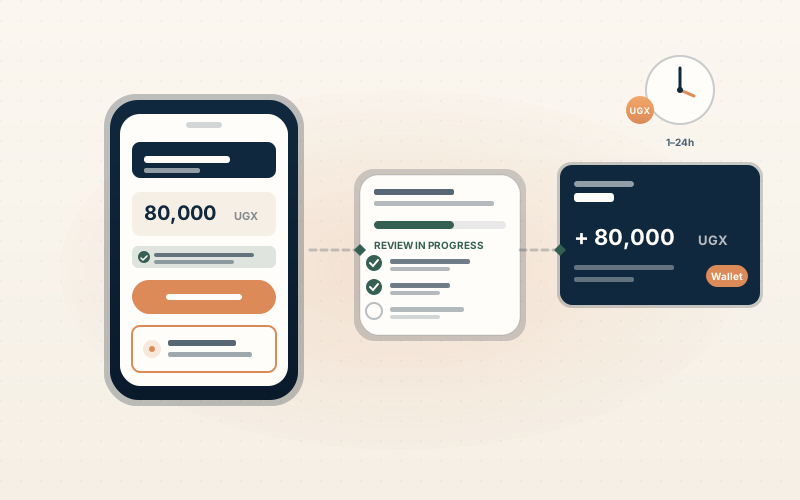
The flow is consistent across the six operators we cover (22Bet, MELbet, BetWinner, 1xBet, Premier Bet, Betway). Small wording differences — same logic.
Step by step
- Log into your casino account.
- Open the cashier or “Withdraw” menu — usually the same menu as deposits, sometimes a separate tab labelled “Cash out” or “Payouts”.
- Select “Airtel Money” as the withdrawal method. If the only option is “Bank Transfer”, check whether you accidentally landed on a desktop-only menu (mobile-money options sometimes hide in a sub-menu on the desktop version).
- Enter the amount in UGX. The cashier shows the minimum (typically 5,000 UGX, except Betway at 10,000 UGX) and the daily maximum.
- Confirm the destination phone number. It should default to the same Airtel Money number used for deposit. If it asks for a different number, stop — that probably means a name-mismatch flag has triggered. Resolve it via live chat before proceeding.
- Submit. The withdrawal goes into the operator’s review queue.
What happens after you submit
Withdrawals run through two stages:
Stage 1 — Operator review
This is where the SLA variation comes from. The operator’s compliance team checks:
- KYC status (verified, partially verified, or unverified).
- Account name vs registered Airtel Money name.
- Withdrawal pattern (multiple small withdrawals can flag a bonus-abuse pattern).
- Any outstanding bonus wagering.
Typical review windows on the operators we cover:
| Operator | Verified, < 200,000 UGX | Verified, > 500,000 UGX | First withdrawal |
|---|---|---|---|
| 22Bet | < 30 min | 1–2h | 1–24h |
| MELbet | < 1h | 1–4h | 24–48h |
| BetWinner | < 1h | 1–4h | 12h |
| 1xBet | < 2h | 4–24h | 24–72h |
| Premier Bet | < 30 min | < 2h | Same-day |
| Betway | 4–6h | 4–24h | 24h |
These are operator-published and independently reported windows — not our own timings, and not guaranteed SLAs. Weekend processing can stretch the upper end at the offshore operators (1xBet most noticeably).
Stage 2 — Airtel Money network posting
Once the operator releases the withdrawal, posting to your wallet is typically under 5 minutes. Network-wide Airtel delays are rare. If the operator says “released” but funds do not arrive within 30 minutes, the issue is on the network side and an Airtel customer service call (USSD *100# or +256 800 200 022) is the right next step.
KYC documents — what to upload, when
Most operators ask for KYC at one of two points: during your first session (more conservative compliance, e.g. Betway and Premier Bet) or before your first withdrawal above ~500,000 UGX (most offshore operators).
Standard documents:
- Government ID — National ID, passport, or driving licence. The same name as your casino account.
- Proof of phone-number ownership — either an SMS code from the casino or a screenshot of your Airtel Money account name (USSD
*185#then “My account”). - Proof of address (for larger withdrawals) — a utility bill or bank statement no older than 90 days. Same name, same address, recent date.
Verification windows:
| Operator | Standard verification time |
|---|---|
| Premier Bet | Instant (OTP) |
| Betway | Same-day on weekdays |
| 22Bet | Same-day for matched names, 1–2 days otherwise |
| MELbet | 1–2 business days |
| BetWinner | Same-day for matched names |
| 1xBet | 1–3 business days |
If your account name and Airtel Money registration name do not match, expect the upper end of the verification window plus an additional document request.
Common withdrawal blocks and how to unblock them
“Same-number rule failure”
You requested withdrawal to a different Airtel Money number than the one used for deposit. The fix: enter the deposit-side number. If you genuinely no longer have access to the original number, live chat will require additional documentation (usually a notarised statement plus updated proof of phone ownership).
“KYC pending”
You triggered the KYC threshold and have not uploaded documents yet. Upload them via the in-app KYC menu — not via email — for the fastest review.
“Bonus wagering not complete”
A bonus is still active and has wagering remaining. Either complete the wagering or cancel the bonus from the promotions menu (cancellation usually forfeits the bonus credit but releases the deposit).
“Withdrawal under review”
The default state for any first withdrawal. Wait the operator’s published SLA. If the SLA has passed, open live chat with your withdrawal reference number — agents have access to the queue and can usually tell you why it is held within one session.
“Insufficient documentation”
The team needs an additional document (often proof of address). The fix is upload — same in-app KYC menu.
“Withdrawal cancelled by player”
You (or someone with access to your account) cancelled the withdrawal. If this was not you, change your password immediately and ask support to enable two-factor authentication if the operator supports it.
Fees to expect
- Airtel Money fee — receiving funds is usually free. Cashing out from your wallet to physical cash via an Airtel agent carries a separate Airtel fee, typically per Airtel’s tariff schedule.
- Casino-side fee — almost always 0 UGX at the operators we cover. Some operators apply a flat 1,000–5,000 UGX fee on small withdrawals (under ~10,000 UGX) to discourage micro-cashout abuse. Always shown on the withdrawal page before you confirm.
Smart withdrawal habits
- Withdraw to a number you have full access to. If you change Airtel Money numbers, do not withdraw to the old one.
- Keep your transaction reference. The withdrawal reference number is shown when you submit and copied to the email confirmation. Save it for at least 14 days.
- Do not request multiple small withdrawals to game the SLA. Operators flag this pattern as bonus-abuse behaviour. Single larger withdrawals process more reliably than many small ones.
- If a withdrawal is stuck, escalate via live chat first, email second. Live chat agents have access to the queue; email is for documentation issues.
- For amounts above 1,000,000 UGX, expect overnight review at most operators. Plan accordingly.
What to do next
- See the Airtel Money payment guide for the cashier overview across all six operators we cover.
- Read the deposit guide if you have not deposited yet.
- See the editorial ranking if you are picking an operator and want a side-by-side comparison.